
Rail travel in India often comes with surprises, a sudden diversion, a changed route, or even mid-journey rerouting can leave passengers scrambling for information. The recently introduced SwaRail app (by IRCTC) promises to simplify many navigation tasks, but knowing how to check a diverted route effectively still requires some insight. In this piece, we’ll walk you through not just the what, but the how step by step, with real-life tips and pitfalls to avoid.
This is not a bland manual; it’s written from the traveler’s perspective, with empathy for the anxiety you feel when you see “Train Diverted” on your status screen.
What Does Train Diversion Mean In Practice?
When a train is “diverted,” it does not simply mean delayed; its entire path is altered from the originally published route. Diversion typically happens because of:
- Track maintenance or blockages
- Flooding, landslides, or natural calamities
- Signaling failures or safety concerns
- Operational exigencies (like congestion)
What’s crucial here is: the list of stations en route may change, arrival/departure times shift, and sometimes the train may skip or add halts. For a passenger, this means your expected stops might vanish or be repositioned.
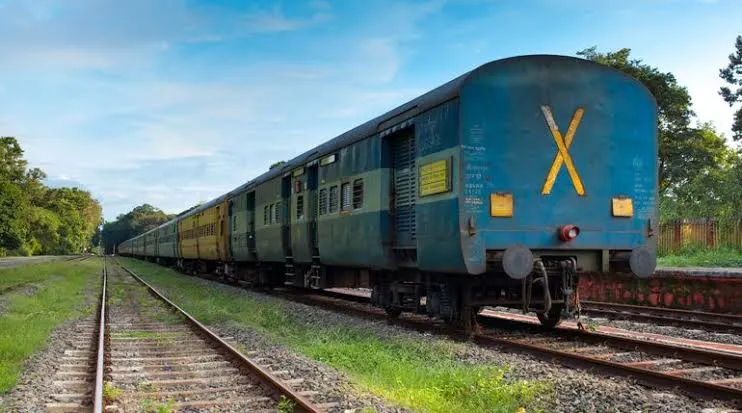
One passenger’s post on Reddit summed it best:
“Diverted means the train is diverted to an alternate route.”
Practically, diversion complicates three things:
- Halt points: You might miss your boarding or deboarding station.
- Time table: Schedules go out of the window the earlier “arrival at 3:45 pm” may now be irrelevant.
- Tracks and stations: You may find your train using an entirely different section of track, requiring you to be aware of the new alignment.
Thus, when you hear “diverted,” treat it seriously: you need to re-verify your plan from scratch. This understanding is foundational before we jump into how to detect that change.
How the SwaRail App Helps Detect Route Changes?
The SwaRail app (launched by IRCTC in 2025) is one of the modern tools in your arsenal. Its goal is to aggregate railway services ticket booking, live tracking, and complaints under one roof.
What You Get via SwaRail (Relevant to Diversion)
- Real-time train tracking
- Alerts & push notifications for route changes or diversions
- Revised station list on the go
- Visual map of your train’s current path
In practice, if a train you’re travelling on gets diverted, SwaRail can push a notification: “Route changed via XYZ instead of ABC.”
However, note a few caveats:
- The notification may come after the diversion is already in effect, so sometimes you still have to proactively check.
- Database sync delays: route updates depend on backend systems pushing new data to the app.
- The visual map may not always reflect intermediate track-level detail (especially in rural or junction zones).
Thus, while SwaRail is incredibly helpful, it shouldn’t be your sole method. Use it as a first layer of defense. In the next subtopics, we’ll look at complementary methods to cross-check.
How to Check Official Railway Diversion Notices?
Railways maintain formal diversion & cancellation notices, which are among the most reliable sources.
Where and How to Find Them?
- Railway zone websites / SWR regional site: For example, Southwestern Railway publishes notices on “cancellation/diversion/regulation of trains.”
- IRCTC / Railway Enquiry portals: They often list diverted trains for a date.
- MakeMyTrip / travel aggregator pages: They maintain lists of diverted trains with route details.
- Railway news & community sites (e.g., IndiaRailInfo): They post route-change bulletins and operational updates.
- Station notices/display boards: In major stations, real-time boards show diversions.
How to Use These Notices Efficiently?
- Always check notices 12–24 hours before departure. Last-minute diversions do occur, but early notices give you breathing space.
- Compare your train number with the list. Diversion lists are usually sorted by train number or route.
- Note the alternate route description in the notice: e.g., “via Miraj, Pandharpur, Solapur, Hotgi” instead of its usual route.
- Cross-check whether your boarding or deboarding station appears in the altered route.
By combining official notices with SwaRail app alerts, you cover both proactive and reactive detection.
Method: Using Live Running Status Tools To Spot Diversions
Even after departure, diversions manifest in the live running status. If something looks off, you may have been diverted.
Things to Watch In Live Status:
- Skipping of a station: If a station listed in your original route is suddenly missing in the live status listing.
- Unexpected detours in station order: The train may appear to go via stations you didn’t expect.
- Changes in arrival/departure times at mid-stations: Big shifts compared to the schedule.
- Colored alerts or flags on the platform/timetable interface indicating “rescheduled” or “diverted.”
Tools You Can Use:
Live status portals like NTES (National Train Enquiry System) allow you to input the train number & get the current progress. RailRestro also helps track whether a train is cancelled, rescheduled, or diverted.
If the live station list no longer matches the published route (for example, missing halts between two known junctions), that’s a red flag.
Practical Guide to Identify Deviated Route:
Once you suspect diversion, you have to compare what was supposed to happen versus what’s happening.
Here’s a step-by-step approach:
- Fetch the original timetable (via SwaRail, IRCTC, or printed schedule).
- Obtain the current live route list (from live status or diverted train list).
- Line up station sequences side by side.
- Mark stations missing or added in the new path.
- Check the geography (use a railway map or Google Maps) to see which track segment altered.
- Identify alternate junctions or loops used in a diverted path.
During this comparison, you’ll begin to see whether your stop is still on the revised route, whether travel time increases, or if trains bypass certain junctions. This lets you make decisions whether to continue, change trains, or abandon journey.
Use of Social Media And Railway Helplines For Quick Updates:
When diversions happen suddenly, official sites may lag in updates. That’s where social media and helplines become powerful allies.
Platforms That Work Best:
- Twitter (now X) – Search #TrainDiverted or tag @RailwaySeva for live replies.
- Facebook Pages of local railway zones – Updates from passengers and officials alike.
- Telegram and WhatsApp railway groups – Many communities share diversion alerts faster than IRCTC itself.
- Customer Care Helpline (139) – The official Railway helpline offers real-time diversion details when you provide your train number.
Steps To Use Them Effectively:
- Open Twitter or X and type your train number + diverted (e.g., “12627 diverted”).
- Look for recent tweets or replies within the last few hours.
- Call 139, follow IVR → “Train Running Information.”
- Ask for the latest diversion status, mentioning the train name, date, and station.
- Cross-verify data between the helpline and the app.
- Save @RailwaySeva or @IRCTCofficial for quick tagging.
These crowd-sourced channels often alert passengers before any official press release drops, especially during monsoons or technical failures.
Cross-Checking With Passenger Reports:
Passengers themselves are a goldmine of information when trains divert unexpectedly. Real people post updates that fill the gap between official announcements and actual events.
- Twitter Threads – Passengers onboard post photos of unexpected halts.
- IndiaRailInfo Forums – Track real-time route discussions.
- TripAdvisor / Reddit / Quora – Travelers narrate where exactly the train turned off.
- Google Reviews of stations – Sometimes mention “train diverted to this route today.”
To use this wisely:
- Always check the timestamp of a post.
- Ignore outdated or panicky comments.
- Combine crowd information with SwaRail and NTES confirmations.
- Note any consistent mentions of the same alternate route; that’s your likely path.
It’s a little like detective work: piecing together scattered clues from multiple passengers to get the full route picture.
Offline Methods To Verify Route Changes:
Digital systems may fail during storms or in low-signal regions. In such cases, old-school methods still matter.
Here’s what to do when offline:
- Ask the train guard or TTE – They receive official circulars on diversions.
- Speak to the loco pilot assistant or platform supervisor during a halt.
- Look at the train route chart pasted outside the coaches; staff often update these.
- Check printed display boards at junction stations.
- Listen to onboard announcements. Indian Railways now mandates diversion alerts via PA systems.
- Watch for unusual route signage (different track direction indicators).
These traditional steps help ensure you stay informed even when the internet fails, something frequent travelers swear by during monsoons or northern fog seasons.
How does Diversion affect your Ticket and Refund?
When a train is diverted, ticketing and refund rules change slightly depending on whether your boarding or destination station lies on the new route.
Steps To File TDR Online:
- Log in to your IRCTC or SwaRail account.
- Go to “Booked Tickets.”
- Select the affected PNR.
- Choose “File TDR” → reason “Train Diverted and Not Touching Destination.”
- Submit within 3 days of travel.
- Refund usually reflects within 7–10 working days.
This process ensures passengers aren’t financially penalized for diversions beyond their control.
Difference Between Diversion, Delay, And Reschedule:
Travelers often confuse these three terms, but each has unique implications.
| Term | Meaning | Passenger Impact | Refund Rule |
| Diverted | The train takes a different route, skipping or adding stations | May skip your boarding/destination | Full refund if affected |
| Delayed | The train runs late but same route | Just time shift, not station skip | Refund only if the delay is>3 hrs for confirmed tickets |
| Rescheduled | Departure time officially changed | The train leaves later than scheduled | Can cancel before new departure for a full refund |
Understanding these differences helps passengers react appropriately rather than panic unnecessarily.
Alternative Method To Enquiry In NTES App:
If the SwaRail app isn’t working, you can easily check diverted train routes using the NTES (National Train Enquiry System) app. It gives real-time updates straight from Indian Railways. Follow these simple steps:
- Install the National Train Enquiry System app on the Google Play Store
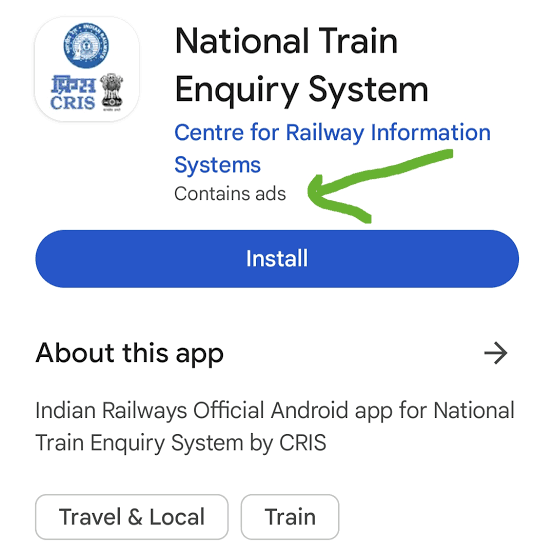
- Open the NTES app on your mobile.
- Tap on “Spot Your Train.”
- Enter your train number or name.
- Select your journey date and starting station.
- Check if it shows “Diverted” under the train’s status.
- Tap “Train Schedule” to see the updated route.
- Turn on notifications for future diversion alerts.
This quick method helps you confirm if your train is diverted without depending only on the SwaRail app.
Tips To Avoid Confusion During Route Diversions:
Small proactive habits can make diversions much easier to manage.
- Always track your train 2–3 hours before departure.
- Bookmark official sources like IRCTC, NTES, and SwaRail.
- Save helpline numbers (139, 182) in your phone.
- Keep alternate route maps downloaded offline via Google Maps.
- Join active Telegram groups related to your train zone.
- Use the railway station Wi-Fi when mobile data is weak.
Prepared passengers rarely face last-minute chaos. With digital and manual checks combined, you can travel confidently even during network disruptions.
Conclusion:
Train diversions may sound stressful, but with SwaRail, live-tracking tools, helplines, and passenger networks, staying informed has never been easier. Instead of relying on one source, create a multi-layered routine, check official notices before travel, monitor live status en route, and confirm details from fellow passengers. Awareness transforms uncertainty into control. The next time your train flashes the word “Diverted,” you’ll know exactly what to do calmly, confidently, and correctly.
FAQs:
Use the SwaRail app or NTES portal with your train number; it’ll display a “Diverted” tag beside live status.
No, if your station is not on the diverted route, you must not board; instead, file a TDR for a refund.
Yes, passengers usually receive SMS or SwaRail push notifications, but always cross-verify manually.
Announcements will be made onboard, and live status apps like NTES will start showing the new route within 15–20 minutes.
Yes, diversions peak during heavy rains, floods, and track maintenance months (June–September). Always check a day before travel.