
Imagine you’re planning a much-needed trip, and as always, the biggest tension is: Will I actually get a confirmed seat? With SwaRail (the unified Indian Railways “super app”), checking train seat availability has become more immediate but also subtly tricky if you’re new to it. It’s not just pressing a button and hoping the numbers are right: there are timings, coach classes, quotas, and last-minute changes.
In this guide, I’ll walk you through real steps, practical tips, and human stories behind each method, so you feel confident, not lost. We’ll break down how SwaRail handles seat availability, the quirks you should watch out for, and how to interpret what you see. Let’s start with the basics.
What Is Seat Availability In SwaRail?
Before diving into checking, it helps to understand what exactly seat availability means in SwaRail’s system and why sometimes the number you see changes suddenly.
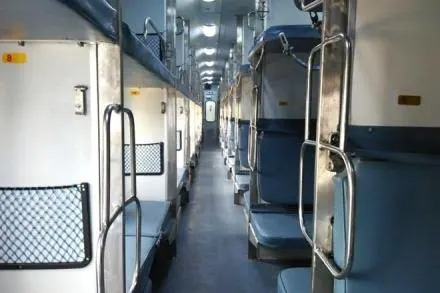
Behind the scenes, “seat availability” is a snapshot in time: for a given train, class (Sleeper, 3A, 2A, 1A, etc.), on a specific date, there are a fixed number of berths that are not yet booked or blocked. SwaRail fetches that data in real time (or near real time) from the Indian Railways reservation system.
Because bookings, cancellations, and chart preparations happen continuously, what you see may change within seconds. Also, some berths may be held back for special quotas (senior citizens, premium quotas, tatkal, etc.), so “available” doesn’t always mean all of them are bookable by everyone.
In practice:
- The app shows available seats per class (e.g., AC, Sleeper).
- It may show options like lower berth, window seat, or side berth, depending on the train and class.
- If no seats are available, you’ll see “Not Available” or “WL” (Waitlist) or sometimes just zero.
- Some slots may be temporarily locked or reserved for future quotas or agent tickets.
By keeping this in mind, when you see availability in SwaRail, treat it as the current state, not a guarantee until you book and receive confirmation.
How To Check Seat Availability Via the SwaRail App?
Here’s a practical, human-friendly walkthrough of checking seat availability using the SwaRail app on your phone. Use this every time before you finalize your booking.
- Open the SwaRail App
- Log in with IRCTC / SwaRail credentials, if not logged in already.
- Tap on “Book Tickets”
- Enter Source, Destination, Date & Class
- Once trains appear, pick the one you want to travel in.
- View Seat Availability / Fare, for that train, the app shows how many seats are available in each class (or shows “Not Available” / “Waitlist”).
In many cases, the availability is shown next to each class option, so you can decide whether to try for 3A or fallback to Sleeper. The app also lets you switch dates or classes if availability is low.
From my experience, it’s good to glance quickly at the numbers: if you see “2 seats” you know you’re risking your luck; “10+ seats” gives you breathing space. Sometimes I’ve tapped “alternate date” right away when I saw zero in my preferred class.
Role Of Quotas, Blocks & Waitlists:
This is where things get tricky, but also where understanding can save you from frustration. When you check availability, not all seats are available to everyone, due to quotas, blocks, and waitlists.
Railways maintain certain quotas such as senior citizen quota, ladies quota, premium quota, tatkal quota, or agent quota. A portion of berths is reserved for these and may not show up in “available to the general public” counts until closer to chart preparation. Also, some coaches or berths are blocked (for maintenance, staff, emergency use) and won’t appear in the availability count. When demand is high, waitlists (WL) come into play: you may see “WL 5” meaning 5 people are ahead of you in the queue. As cancellations happen, seats might free up and convert WL to RAC (Reservation Against Cancellation) or confirmed.
Key Points (bulleted):
- Some berths are reserved under special quotas (senior, ladies, tatkal) and might not appear in general availability.
- Blocks are unused berths held for contingencies; they are not shown for booking.
- Waitlist (WL) indicates demand over supply; WL 5 means you’re fifth in line.
- Conversion from WL → RAC → confirmed depends on cancellations or chart updates.
- Near charting time (a few hours before departure), many WLs get finalized, and availability may change drastically.
When checking availability, I’ve noticed that even if it shows “0 seats,” there’s a chance someone cancels and a berth frees up, so don’t always lose hope. But it’s risky to wait too long.
Checking Seat Availability After Chart Preparation:
Once the chart is prepared (usually a few hours before the journey), seat dynamics change. The pre-chart view is theoretical; the post-chart is final except for emergency changes.
After charting, many waitlists are confirmed or rejected, and all main reservations are locked in. In SwaRail, the chart status is updated, and availability mostly shows the leftover (if any) or the new final seating arrangement. In many cases post-chart, the option to book new tickets in that train is disabled.
Also, sometimes short-notice cancellations or special release quotas might still free up a seat even after charting, but these are rare and unpredictable. I once saw a berth open up an hour before departure because a traveler cancelled late; it showed briefly in the app but vanished quickly.
Human tip: if you absolutely need that train, keep refreshing availability in SwaRail up to chart time. But don’t count on big changes after the chart. After charting, the “availability” is mostly informative, not guaranteed.
Older Apps to SwaRail App :
It’s helpful to contrast SwaRail’s method of showing seat availability with how things worked before, so you know what’s changed and what still applies.
Earlier, passengers used IRCTC Rail Connect or the Indian Railways website or third-party portals to check seat availability. They would enter the same details (source, destination, date, class) and see the number of berths available or waitlist numbers. But those systems were sometimes slow, laggy, or inconsistent. SwaRail now integrates everything into one app, no need for multiple portals, and tends to show more up-to-date availability because it syncs with the central CRIS/IRCTC backend.
Bulleted Points:
- Older apps sometimes showed stale data due to lag or cache.
- You need to cross-verify across multiple apps for quotas or availability.
- Switching class or date required re-searching repeatedly.
- Booking and availability were separate interfaces; now they merge in SwaRail.
- SwaRail reduces friction: one login, one screen, real-time updates.
In short, SwaRail brings together search, availability display, booking, and real-time changes in one smooth flow, something earlier systems only managed in parts.
Using Tatkal Quota For Last-Minute Travel:
There are times when you don’t plan in advance, maybe a family emergency or a sudden official trip, and that’s where the Tatkal quota comes in. Many people depend on it, but to succeed you must understand how it works.
Tatkal tickets open one day before the train’s departure, usually at 10 AM for AC classes and 11 AM for non-AC. The availability shown in SwaRail during Tatkal is separate from the general quota and fills up very quickly. Even though it’s a bit more expensive, it’s often the only way to get a confirmed berth on short notice.
Steps To Check Tatkal Availability In SwaRail:
- Open the app and select “Book Tickets.”
- Enter source, destination, and journey date (the system auto-selects Tatkal on eligible trains).
- Choose the class (e.g., 3A, Sleeper, 2A).
- Availability will show as “Tatkal” with limited seats.
- If available, confirm immediately, delays mean losing it.
- Proceed with instant payment, as Tatkal seats can vanish within seconds.
From personal experience, the biggest mistake is browsing too long before payment, Tatkal needs speed, not hesitation.
Difference Between RAC And Waitlist Availability:
When checking seat availability, two terms often confuse passengers: RAC (Reservation Against Cancellation) and WL (Waitlist). Both look “not confirmed,” but the experience is very different.
Here’s a side-by-side breakdown:
| Feature | RAC (Reservation Against Cancellation) | WL (Waitlist) |
| Travel Permission | You are allowed to board and travel. | You cannot board unless your status changes. |
| Seat/ Berth | You get a shared seat (usually a side lower berth split with another passenger). | No seat allotted until upgraded. |
| Chance of Confirmation | High, especially if cancellations occur. | Depends on position; WL under 10 may clear, high WL usually doesn’t. |
| Comfort Level | Partial berth until converted to a full seat. | No guarantee of travel. |
| Displayed In SwaRail | Marked as “RAC + number” (e.g., RAC 12). | Marked as “WL + number” (e.g., WL 15). |
| Practical Tip | RAC is safer to book if you must travel. | WL is risky, avoid unless a very low number. |
Seat Availability Trends During Festive Seasons:
Ever tried booking around Diwali, Holi, or Pongal? Seat availability behaves differently, almost like flight pricing chaos.
During festive seasons, demand surges drastically. Availability that normally stays open for days may vanish within minutes of booking opening. SwaRail shows live numbers, but you’ll often find “WL” right from day one. This isn’t because the app is wrong, it’s simply the rush of millions booking at once. Planning ahead is your best bet: book as early as possible, use Tatkal as a backup, and explore alternate trains or routes. Some people even book return tickets months in advance to avoid the festive crunch. Watching patterns helps: for instance, in my experience, South India routes around Pongal get filled faster than North India ones for Holi.
How Flexible Dates Improve Your Chances?
A simple trick to beat the system is to be open to traveling a day earlier or later. Seat availability can swing drastically with just a date change.
SwaRail allows you to check across multiple dates, and this is where you often strike gold. A train that’s full on Friday might show 20 seats on Thursday. By adjusting your plan slightly, you can save yourself the stress of WL or Tatkal.
Points To Use Flexible Dates:
- Always use the “alternate dates” option in SwaRail.
- Compare at least 2–3 days around your preferred date.
- Mid-week (Tuesday, Wednesday, Thursday) usually has more availability.
- Weekends and Mondays are typically overbooked.
- For long trips, planning one day early is better than taking the Tatkal stress.
- If seats are still low, consider a different class (e.g., Sleeper instead of 3A).
Why Does Real-Time Refreshing Matter?
SwaRail’s seat numbers can change every few minutes. Learning to refresh smartly can be the difference between booking and missing out.
When you’re eyeing a seat, don’t just open the app once and decide. Availability is dynamic, cancellations, quota releases, and payment failures can free up seats instantly. I’ve personally booked a confirmed seat after refreshing three times in 15 minutes. SwaRail updates faster than older portals, so if you refresh regularly, you may spot new openings others miss. The trick is not to obsessively refresh for hours but to check at intervals, especially during mornings and evenings when most cancellations happen.
Seat Availability Across Different Train Classes:
Not all classes behave the same way. A Sleeper might be fully booked while 3A still shows seats.
Understanding class-wise seat availability helps you make smart decisions. SwaRail lists availability separately for Sleeper (SL), 3rd AC (3A), 2nd AC (2A), 1st AC (1A), and Chair Car (CC). Lower classes fill faster due to affordability, while premium classes often stay open longer. Sometimes it’s worth paying a bit extra for 3A rather than being stuck in Sleeper WL.
Bulleted Highlights:
- Sleeper: Fills fastest, heavy festive demand.
- 3A: Moderate demand, balance between cost and comfort.
- 2A: Fewer berths may fill if the route is popular.
- 1A: Expensive, but availability is often open.
- Chair Car: Busy on short routes, less so on long ones.
- SwaRail lets you toggle classes instantly to compare.
Conclusion:
Checking seat availability in SwaRail isn’t just a button click, it’s about reading the system like a seasoned traveler. From Tatkal quotas to RAC nuances, festive rushes to class differences, the app shows you data but interpretation is the real skill. A little flexibility and regular refreshing can help you beat the crowd. At the end of the day, SwaRail simplifies the process, but the smartest travelers are those who understand the patterns behind the numbers.
FAQs:
SwaRail updates availability in near real time, but numbers can change within seconds due to bookings and cancellations.
Yes, SwaRail supports Tatkal bookings, but you must act fast since seats vanish quickly after 10 AM/11 AM release.
No, RAC guarantees you a seat (shared). It may convert into a full berth if cancellations occur.
Because many users are booking simultaneously. By the time you refresh, others may have booked those berths.
Generally yes, since Sleeper is cheaper and more people prefer it. However, festive demand can fill every class quickly.